
Guest Post Publisher Red Flags: Fake Traffic, PBNs and Low-Quality Sites
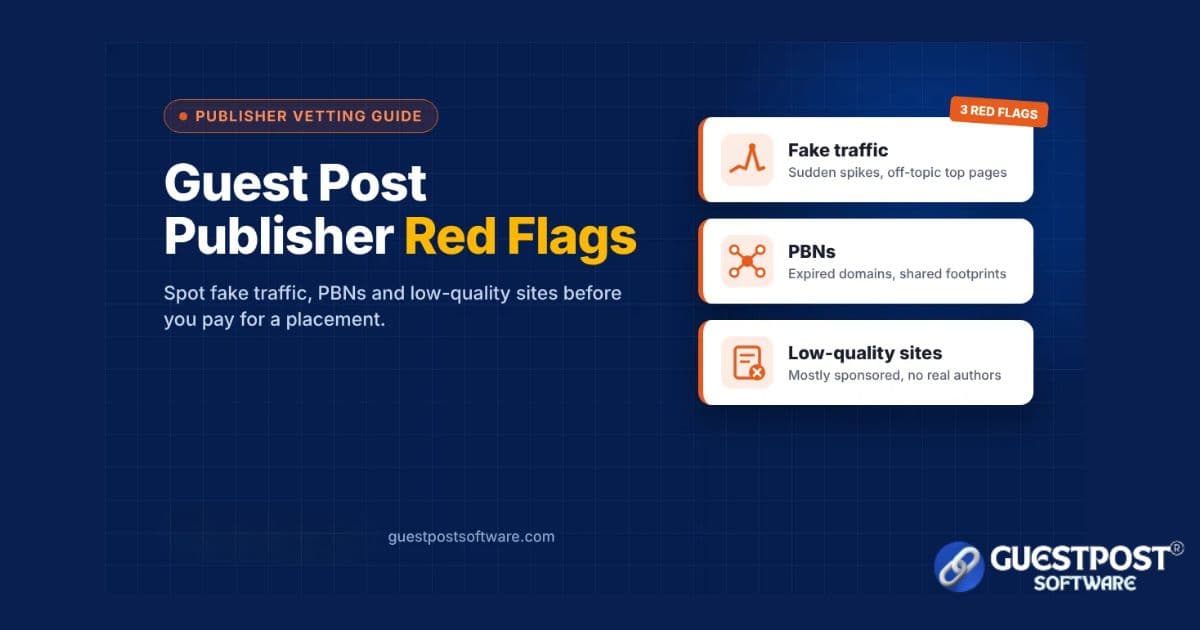
A guest post is only worth paying for if the site has real readers and real editorial standards. Many sites that sell placements have neither. Their traffic is inflated, they belong to a network built to sell links, or they publish anything for a fee. The cost of a bad placement goes beyond the fee. Your brand appears…
A guest post is only worth paying for if the site has real readers and real editorial standards. Many sites that sell placements have neither. Their traffic is inflated, they belong to a network built to sell links, or they publish anything for a fee.
The cost of a bad placement goes beyond the fee. Your brand appears next to thin or spammy content. Readers never arrive. In the worst case, your site becomes associated with a pattern that search engines treat as manipulation.
This guide covers the three most common red flags: fake traffic, private blog networks (PBNs), and low-quality sites. For each one, you will see the warning signs, a practical example, and the checks you can run yourself. It ends with a 15-minute vetting checklist.
Red Flag 1: Fake or Inflated Traffic
A high traffic number means little until you know where the visits come from and which pages receive them. Sellers know buyers filter by traffic, so this is the metric most often inflated or misrepresented.
Warning signs
Sudden spikes with no clear cause. Traffic jumps tenfold in one month, then falls or flattens. Real growth is usually gradual.
Traffic on pages that have nothing to do with the site's topic. A "business" blog gets most of its visits from celebrity net worth posts, lottery results, or film download pages.
Countries that don't match the content. An English-language UK finance site draws most of its visits from countries where few readers would care about UK tax rules.
Keywords with no buying intent. Rankings are mostly misspellings, brand names of other sites, or trending queries that bring one-time visitors.
No sign of real readers. No comments, no social shares, and no newsletter, despite a claimed 100,000 monthly visits.
Screenshots as the only proof. An analytics screenshot is easy to edit. A live screen-share or read-only access is much harder to fake.
A practical example
Say you sell project management software, and a seller offers a "DR 55 tech blog with 90,000 monthly visits" for $120. The price looks generous for those numbers.
You open a third-party SEO tool and check the top pages. Around 70% of the estimated traffic goes to two articles: one on mobile recharge plans and one on a celebrity's age. The remaining tech articles get a few hundred visits between them. Most visits come from a country you don't sell in.
The real audience for your topic is closer to 2,000 visits a month, and those readers came for something else. At $120, a site with 2,000 relevant readers might be fair. Presented as a 90,000-visit tech blog, it is misleading.
How to check
Look at the trend over 12 months, not one month's figure.
Open the site's top pages report and ask whether they match the site's stated topic.
Check the country split against the market you sell to.
Ask the publisher for a short screen-share of Google Analytics or Search Console.
Read the site for five minutes. Real audiences leave traces: comments, author follow-ups, updated posts.
Our guide on how to verify website traffic for guest posting walks through these checks in more detail.
Third-party traffic numbers are estimates, so use them to spot patterns, not as exact counts.
Red Flag 2: PBNs and Expired-Domain Sites
A private blog network (PBN) is a group of websites controlled by one owner and built mainly to place links, not to serve readers. Many PBN sites sit on expired domains that once belonged to real businesses or organisations, so they inherit old authority scores.
Google treats this pattern as spam. Its spam policies list link schemes and buying links for ranking purposes as link spam. In March 2024, Google also added expired domain abuse and scaled content abuse to its spam policies, and said the related update would cut low-quality, unoriginal content in results by about 40%, according to Search Engine Journal's coverage.
Warning signs
The domain's history doesn't match its content. The Wayback Machine shows a dental clinic in 2019 and a "general news" blog today.
Shared fingerprints across sites. Several sites on a seller's list use the same theme, the same stock author photos, and the same "Write for Us" wording.
The same outbound pattern everywhere. Every recent post links out to an unrelated commercial page, often with keyword-heavy anchors.
No real "About" page or owner. No named team, no contact address, and a generic email.
High authority, almost no traffic. A DR 60 site with fewer than 500 organic visits a month is a classic expired-domain pattern.
Topics that change every post. Casino, CBD, home decor, and crypto, all in the same week.
A practical example
An agency receives a list of 40 "high-DR" sites from a new vendor at $60 each. Before ordering, the team checks ten at random.
Seven were registered or re-registered in the last two years. Five use the same WordPress theme and identical sidebar widgets. In the Wayback Machine, one used to be a regional charity and another a closed restaurant. None show more than a few hundred organic visits.
The agency drops the list. Placing client content there would have put every client into the same footprint, and if the network were ever flagged, all of them would share the consequences.
How to check
Look up the domain in the Wayback Machine and compare past and current content.
Compare authority with organic traffic. A large gap is a warning sign.
Open three sites from the same seller side by side and look for shared themes, authors, and wording.
Run a WHOIS lookup to see when the domain was last registered.
Read the last ten posts and note where each one links out to.
Red Flag 3: Low-Quality and Link-Farm Sites
Some sites are real and independently owned but still publish anything that pays. These are often called link farms. They are less organised than a PBN, but the effect on your brand is similar: your article sits among content no one reads or trusts.
Warning signs
Most recent posts are sponsored. If seven of the last ten articles link to a commercial page, the site serves advertisers, not readers.
Thin, generic articles. 400-word posts with no examples, no author expertise, and obvious machine-written phrasing.
Restricted or risky categories mixed in. Gambling, adult, or payday-loan content next to parenting and finance posts.
"Write for us" pages that accept every topic. No style guide, no editorial review, and a price list instead of submission guidelines.
Many links in one article. Five or six outbound commercial links in a single post dilute any value and look manipulative.
Guaranteed approval. A publisher that promises to publish any submission, unchanged, has no editorial standards.
A practical example
A home decor brand in Jaipur finds a "lifestyle" site with healthy traffic and a $40 price. The traffic checks out, so the team almost orders.
Then they read the homepage. In the past week, the site published a cushion-cover guide, an online casino review, a crypto exchange listicle, and a payday loan comparison. Each article had three or more outbound commercial links. None had a named author.
The traffic was real, but the readers came for casino and loan content. A bedsheet brand had no reason to appear there. The team chose a smaller interior design blog instead, with named writers and a clear focus.
How to check
Read the ten most recent posts, not just the homepage.
Count how many are clearly sponsored.
Look for named authors with bios or social profiles.
Check whether the site rejects any topics in its guidelines. A site that refuses nothing has no standards.
Ask whether your target customer would read this site on purpose.
A 15-Minute Publisher Vetting Checklist
You can run every check below in about 15 minutes per site. If a site fails two or more, move on.
Check | Healthy sign | Red flag | Time |
|---|---|---|---|
Traffic trend | Steady or growing over 12 months | Sudden spike or a sharp drop | 2 min |
Top pages | Match the site's main topic | Unrelated viral or trending pages | 2 min |
Traffic countries | Match your target market | Mostly countries you don't serve | 1 min |
Authority vs traffic | Both in a similar range | High DR, almost no visits | 1 min |
Domain history | Consistent topic in the Wayback Machine | Different business or long gap | 2 min |
Recent posts | Mostly editorial, some sponsored | Mostly sponsored | 3 min |
Topic mix | One clear subject | Casino, crypto, and lifestyle together | 1 min |
Authors | Named, with bios | "Admin" or no byline | 1 min |
Outbound links per post | One or two, relevant | Five or more commercial links | 1 min |
Editorial process | Guidelines, edits requested | Guaranteed approval, no review | 1 min |
If a site passes, the next step is fit: would your customer read it on purpose? On our guest post sites marketplace, listings show niche, country, traffic, and authority up front, which makes the first few checks faster.
What to Do If You Already Published on a Bad Site
One poor placement is rarely a disaster, so don't panic. The goal is to stop the pattern and clean up where it is easy to do so.
List every placement. Record the URL, publisher, date, price, and anchor text for each one in a spreadsheet.
Re-run the checklist. Mark each site as healthy, borderline, or red flag.
Ask for a fix. For red-flag sites, ask the publisher to remove the link or add rel="sponsored". Keep a copy of the request.
Stop ordering from the same seller. If several bad sites came from one vendor, their whole list is likely affected.
Check Search Console. Look under Manual actions. If there is none, you usually don't need to do anything more drastic.
Treat disavowing as a last resort. Google's disavow tool is an advanced feature. It is mainly for sites with a manual action, or with many manipulative links they know about and cannot remove. Using it carelessly can do more harm than good.
For example, an online course creator found that four of her twelve placements were on sites that had lost over 80% of their traffic. She asked all four publishers to add rel="sponsored". Two did and two never replied. With no manual action in Search Console, she stopped there and moved her budget to vetted, topic-focused education blogs.
Frequently Asked Questions
How can I tell if a guest post site's traffic is fake?
Check the 12-month trend, the top pages, and the country split in a third-party SEO tool. If most traffic goes to off-topic pages or arrived in one sudden spike, treat the number with caution. Ask for a live analytics screen-share where possible.
Is a high DA or DR enough to trust a publisher?
No. DA and DR are third-party scores, not Google metrics, and expired domains can carry high scores with almost no readers. Always compare authority with real, on-topic traffic.
How do I spot a PBN site?
Look for a domain whose history doesn't match its current content, shared themes or authors across a seller's list, high authority with little traffic, and posts on unrelated topics that all link out to commercial pages.
Are all cheap guest posts bad?
No. Small, focused blogs with modest traffic can be good value. Price only becomes a warning sign when it is far below what the claimed metrics would usually cost.
What should I do if a placement turns out to be on a bad site?
Ask the publisher to remove the link or add rel="sponsored", stop ordering from that seller, and check Search Console for manual actions. Use the disavow tool only as a last resort.
Disclaimer
This article is general educational guidance, not legal or professional SEO advice. The examples are illustrative scenarios based on common patterns; they do not describe specific websites, vendors, or clients. Third-party metrics such as DA, DR, and traffic estimates are approximations and can be wrong. Search engine policies change, so check Google's current documentation before acting. No vetting process can guarantee search rankings, traffic, or that a publisher's quality will stay the same over time.
Ready to place content on verified websites?
Browse verified editorial opportunities →Transparent publisher metrics and pricing on guestpostsoftware.com.
Share
About the author
Riya Singh
Editorial and SEO insights from the Guestpost Software team—guest posting strategy, publisher relationships, and measurable content outcomes.
About Guestpost Software · Our editorial process · Help Center
Related posts
Continue reading

Guest Posting for SaaS Companies: Publisher Selection and Campaign Planning
Practical guest posting and SEO guidance from Guestpost Software.
Guest Posting vs Niche Edits: Cost, Control and Editorial Differences
Practical guest posting and SEO guidance from Guestpost Software.
How to Verify Website Traffic for Guest Posting Before You Buy
Practical guest posting and SEO guidance from Guestpost Software.

Benefits of Guest Posting in 2026–2027: What Still Works, What Does Not, and How to Measure Real Value
Practical guest posting and SEO guidance from Guestpost Software.
Guest Post Pricing: How to Evaluate Cost and Value in 2026
Practical guest posting and SEO guidance from Guestpost Software.

What Is AI-Powered Media Outreach Platform?
Practical guest posting and SEO guidance from Guestpost Software.